
How to install Finsa Template
Install Divi5 theme first.
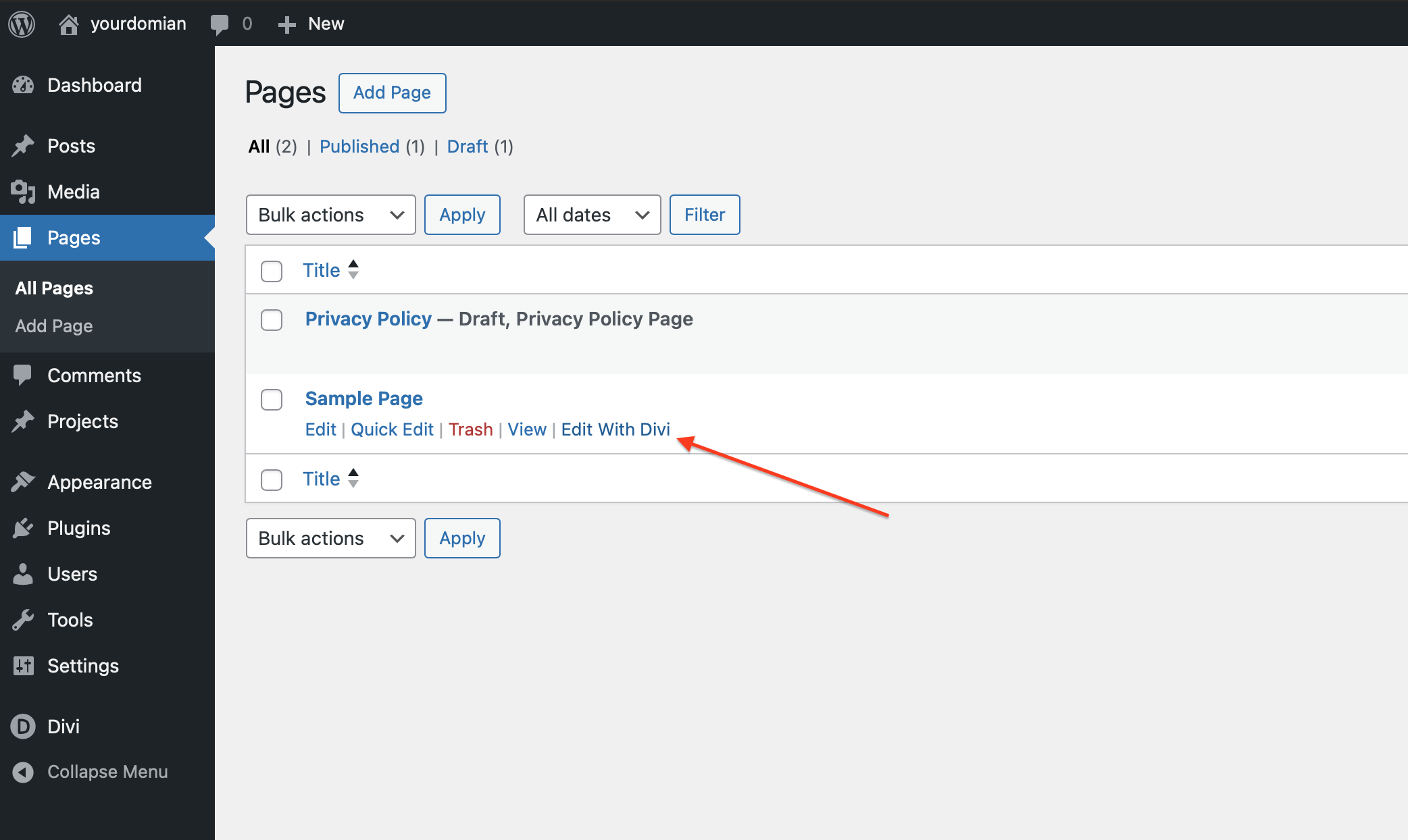
Then edit main page by clicking "Edit With Divi"
Open Settings
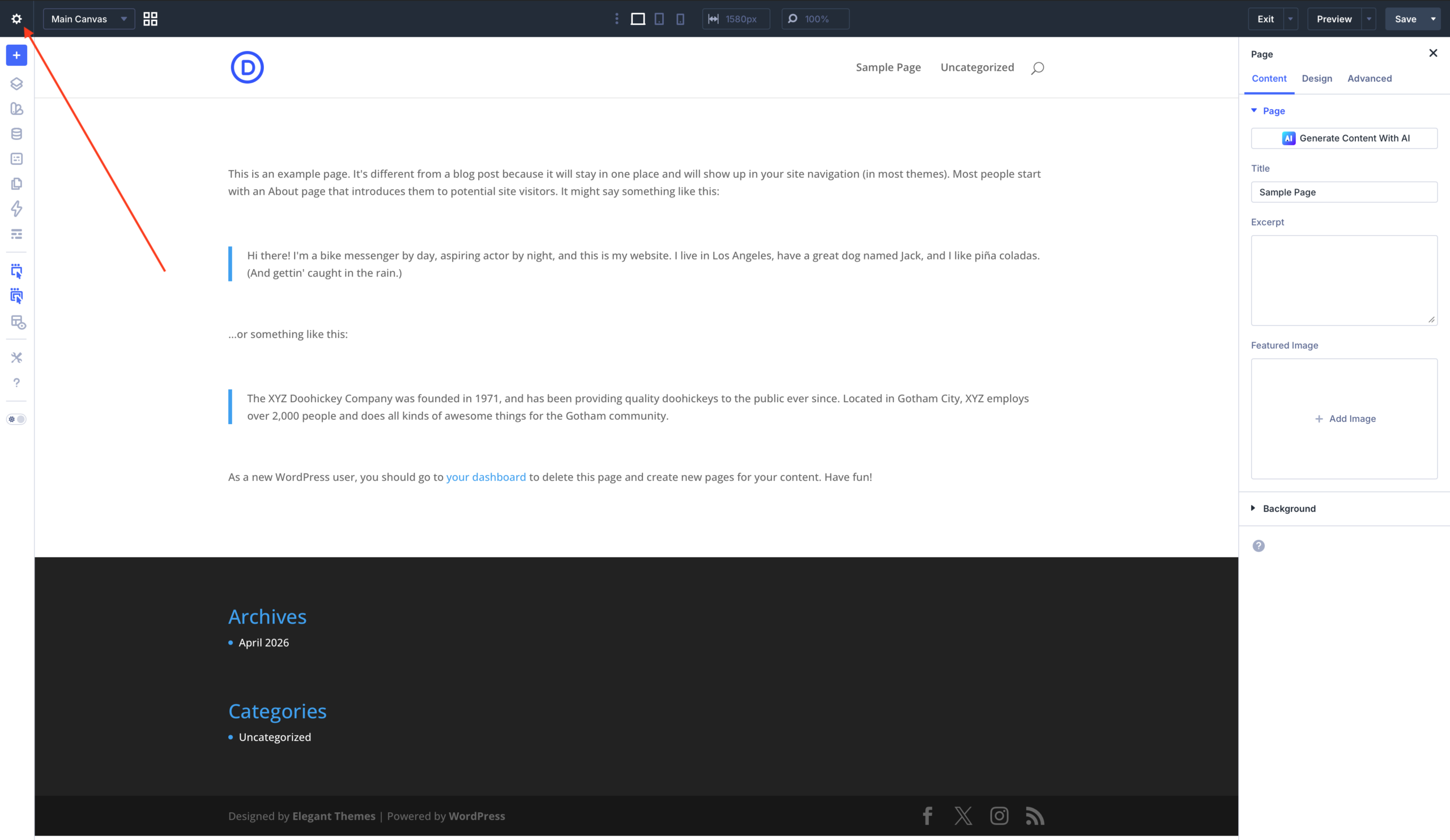
Click IMPORT
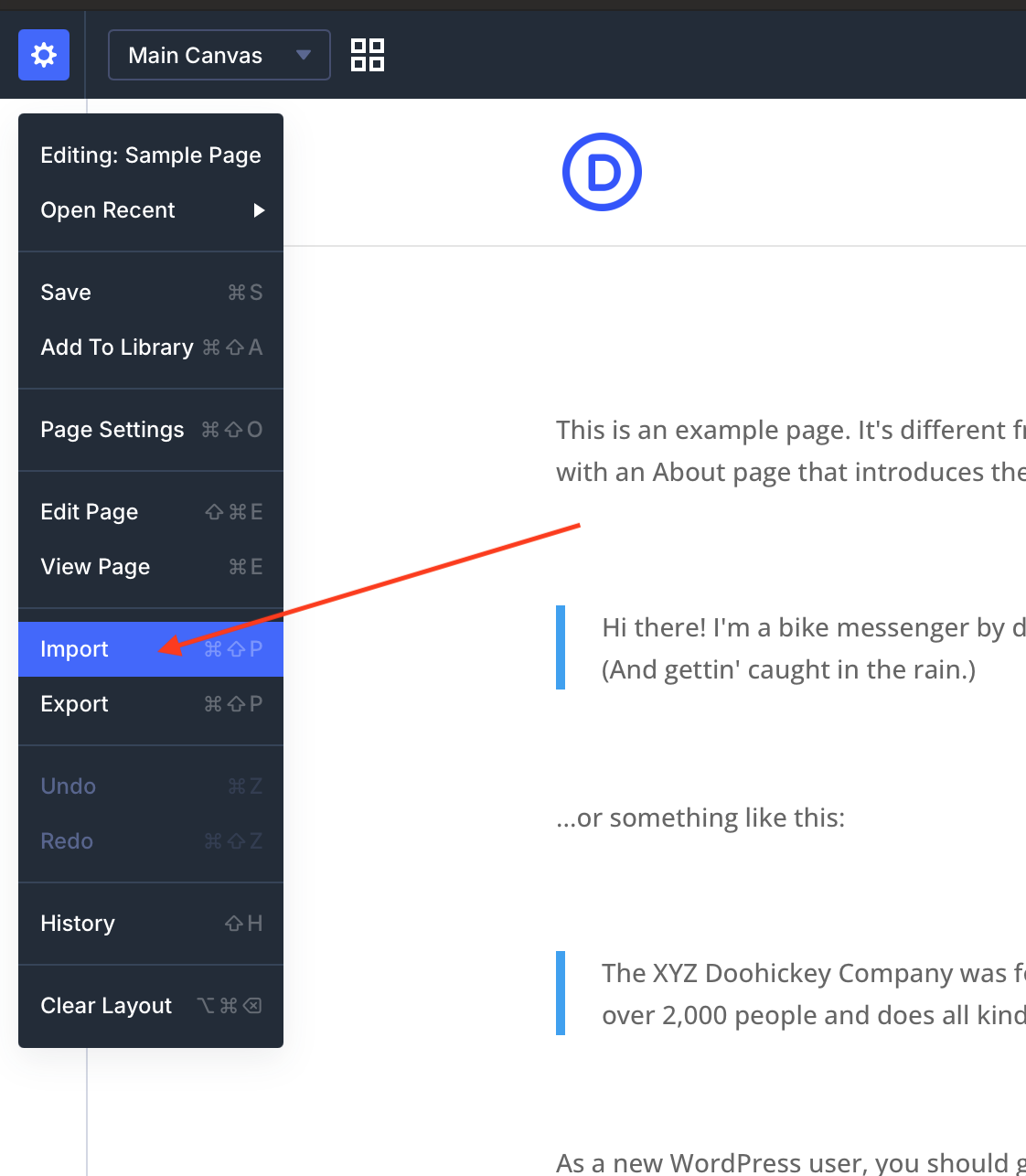
Upload "Finsa.json" file.
Make sure you have "Replace Existing Content" and "Import Presets" checked!
Then click IMPORT LAYOUT.
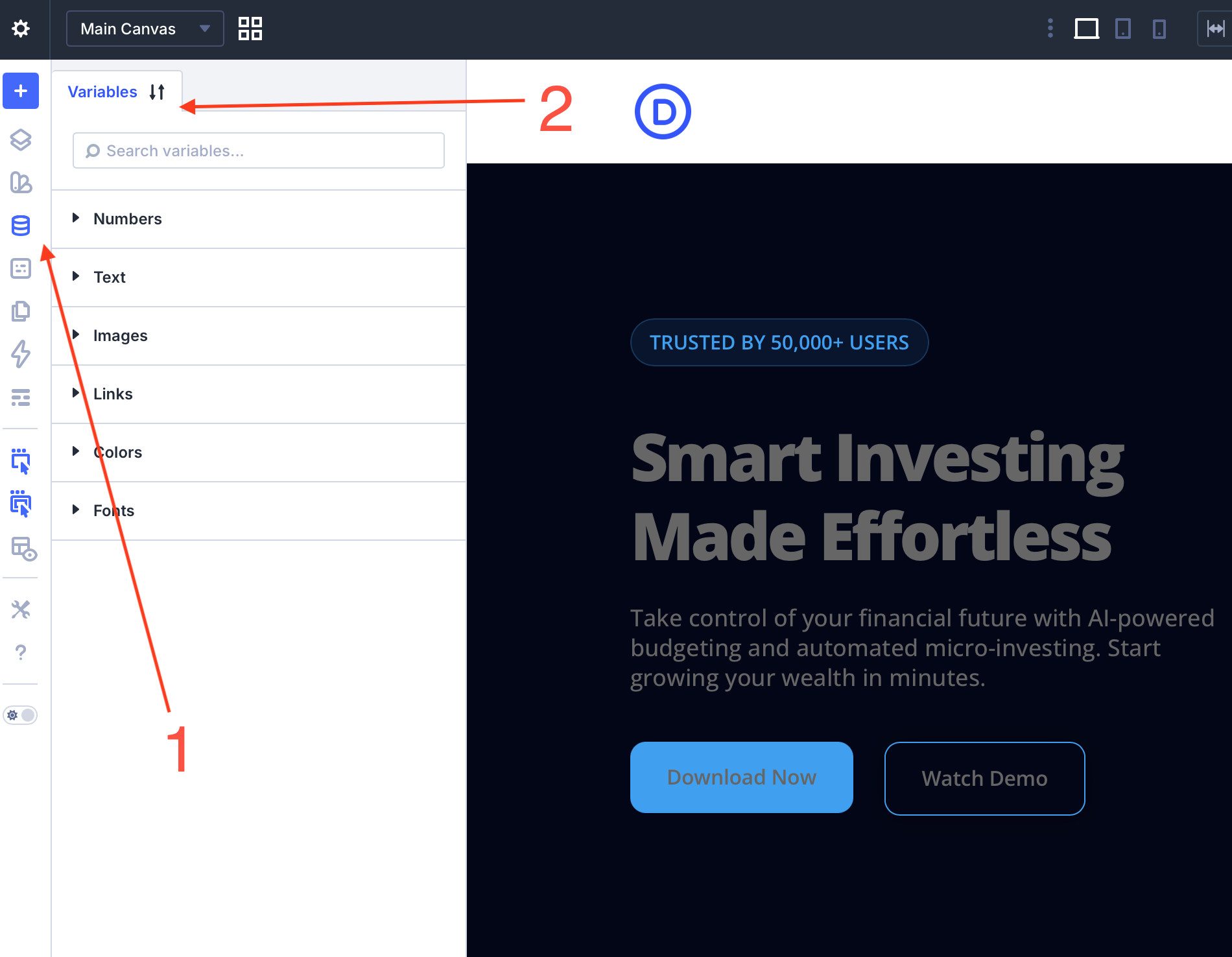
1. Open Variables
2. Click Arrows
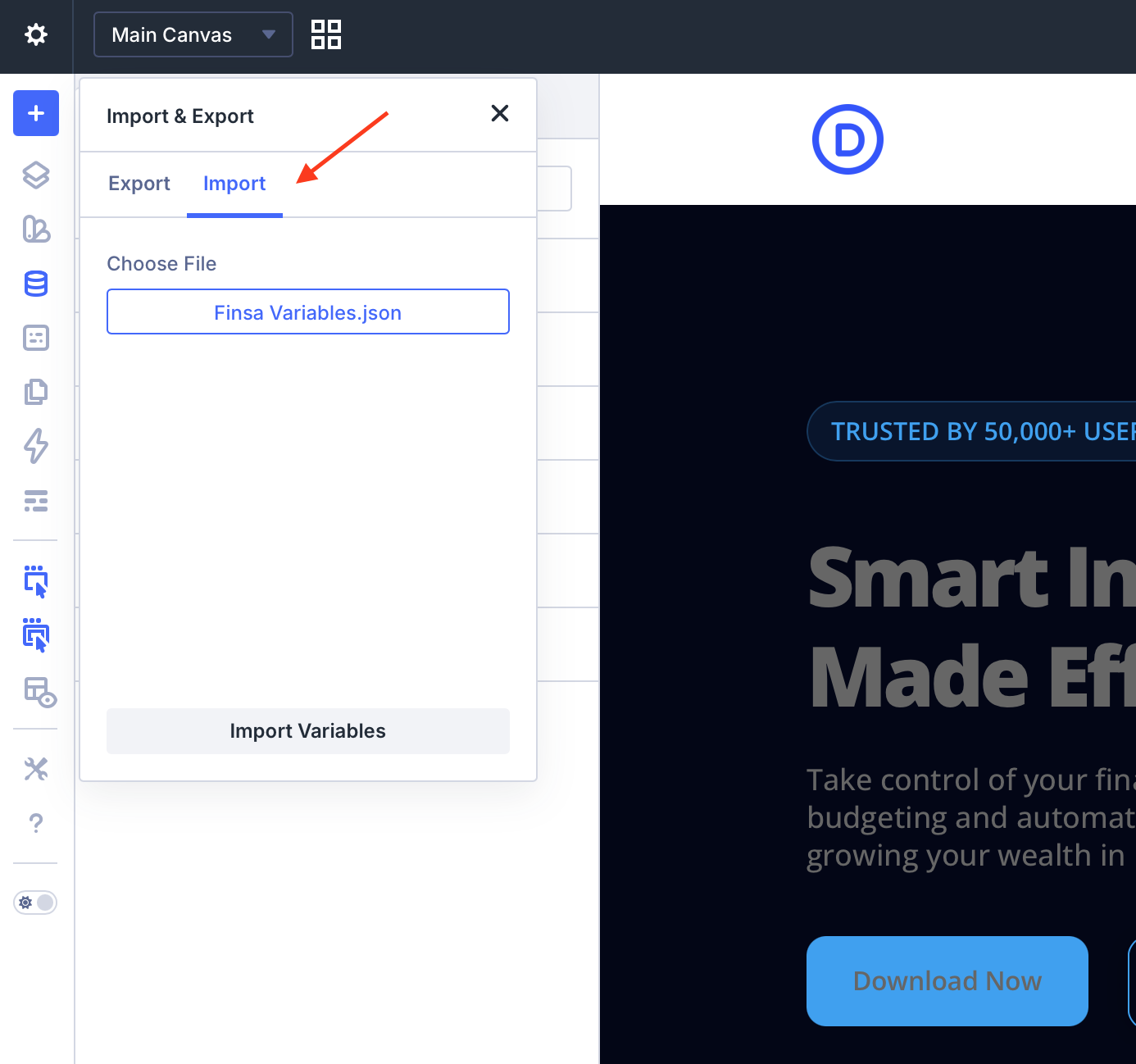
IMPORT "Finsa Variables.json"
Click "Import Variables" to save.
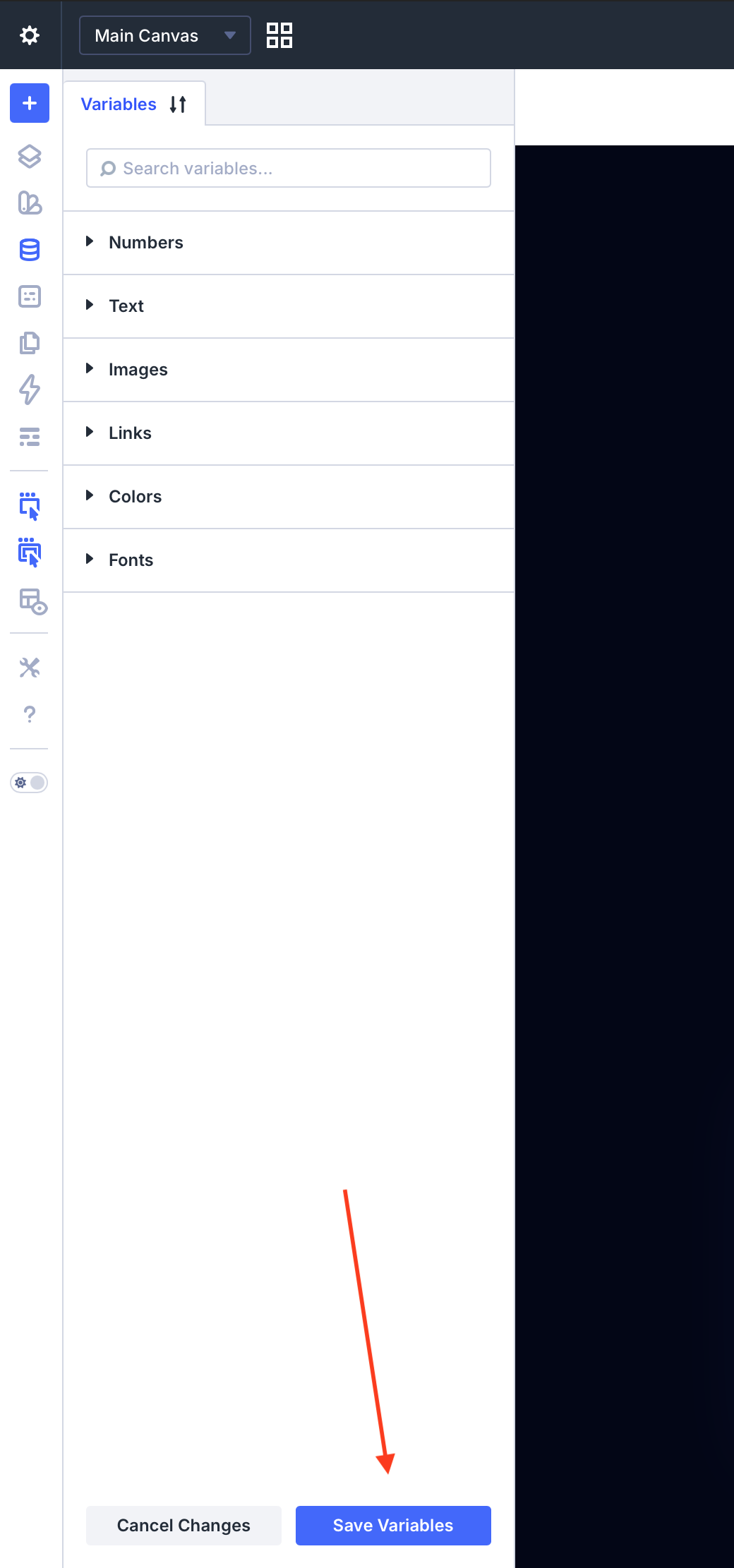
Make sure to SAVE Variables
Click SAVE in the top right corner.
To ensure the changes are saved, click Save, exit, and then enter again.

Got to Divi > Theme Builder
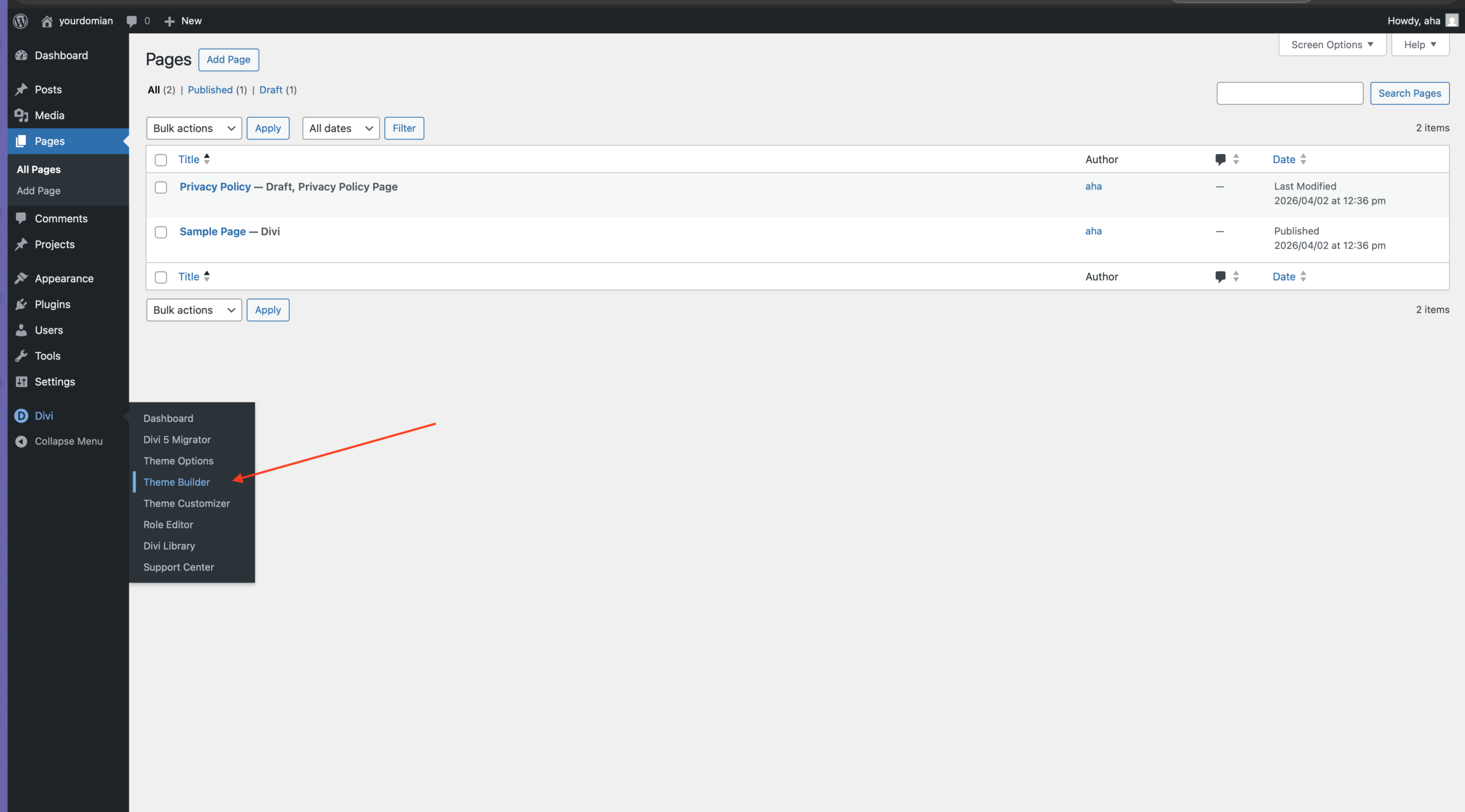
Click ARROWS
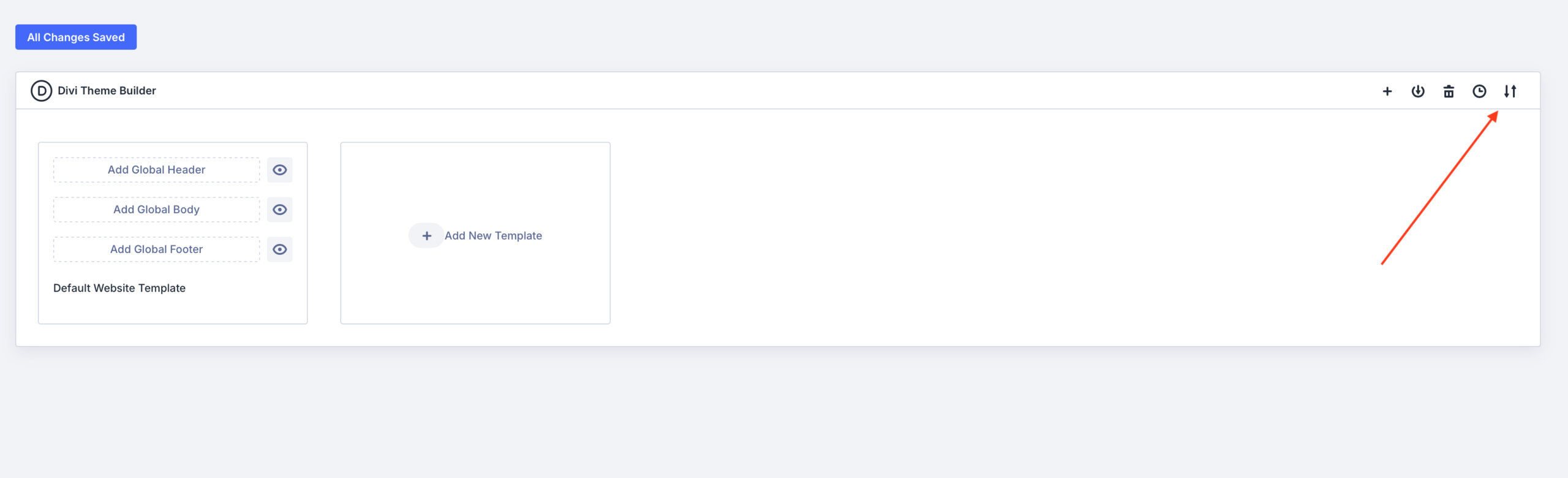
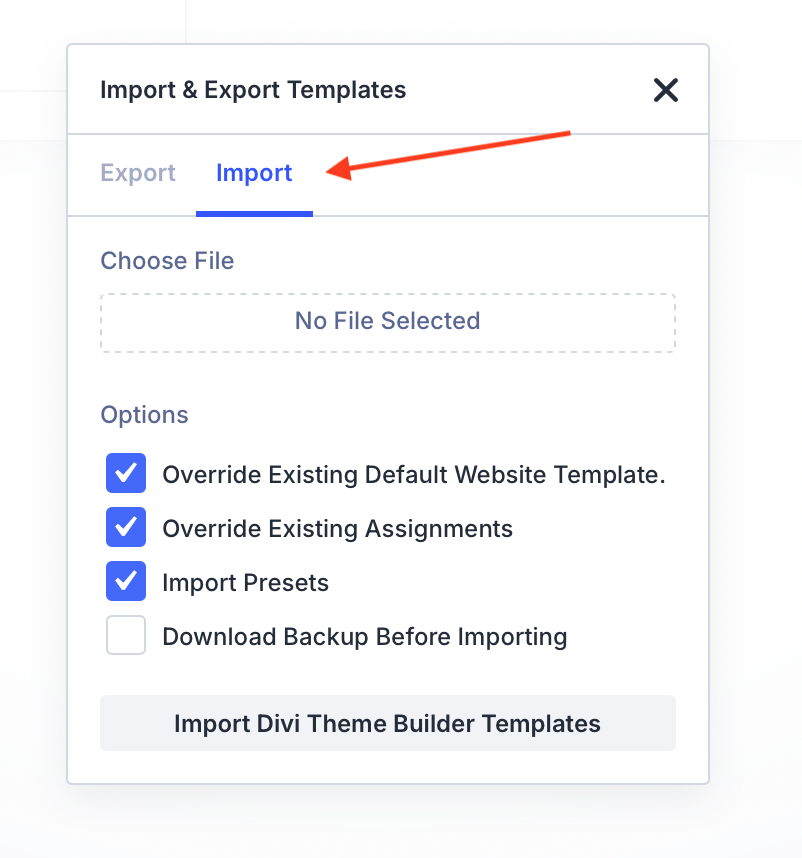
Click Import
Upload "Finsa-Navbar-Footer.json"
Make sure you have these options checked! (See on the image)
Then click "Import Divi Theme Builder Templates"
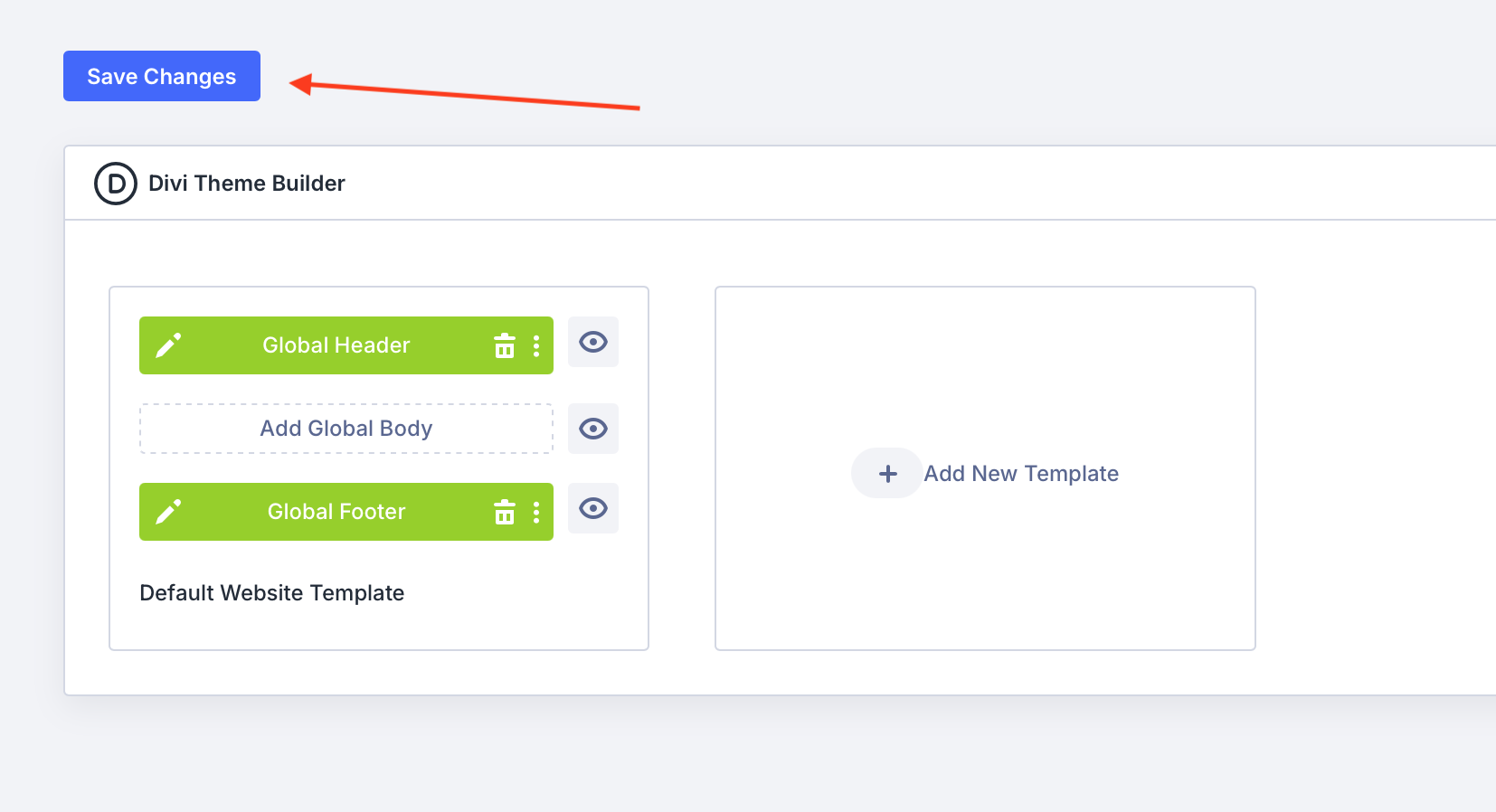
Don't forget to SAVE changes
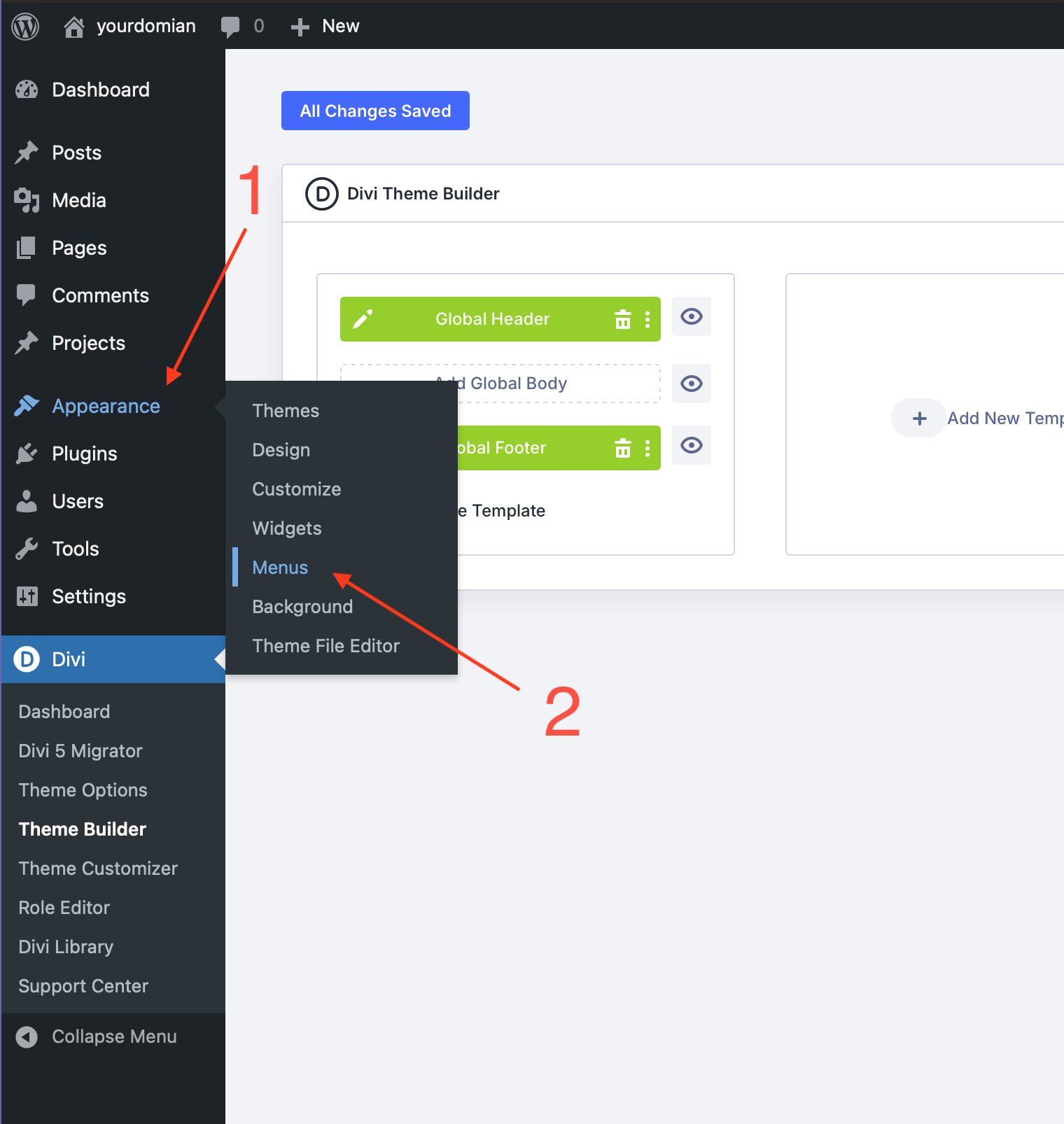
1. Go to Appearance
2. Go to Menus
Create main-menu
Check Primary Menu
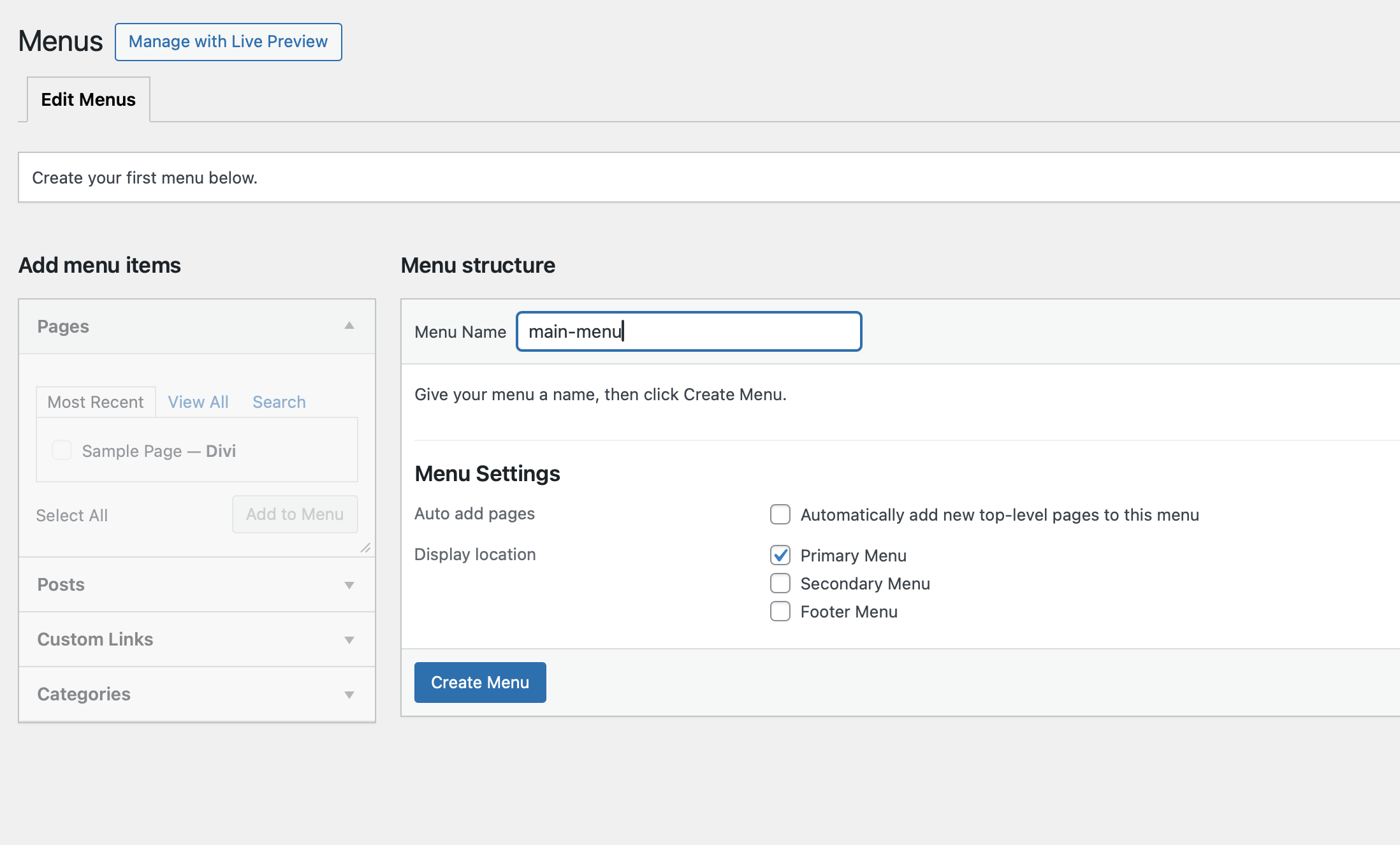
Select CUSTOM LINKS (left sidebar)
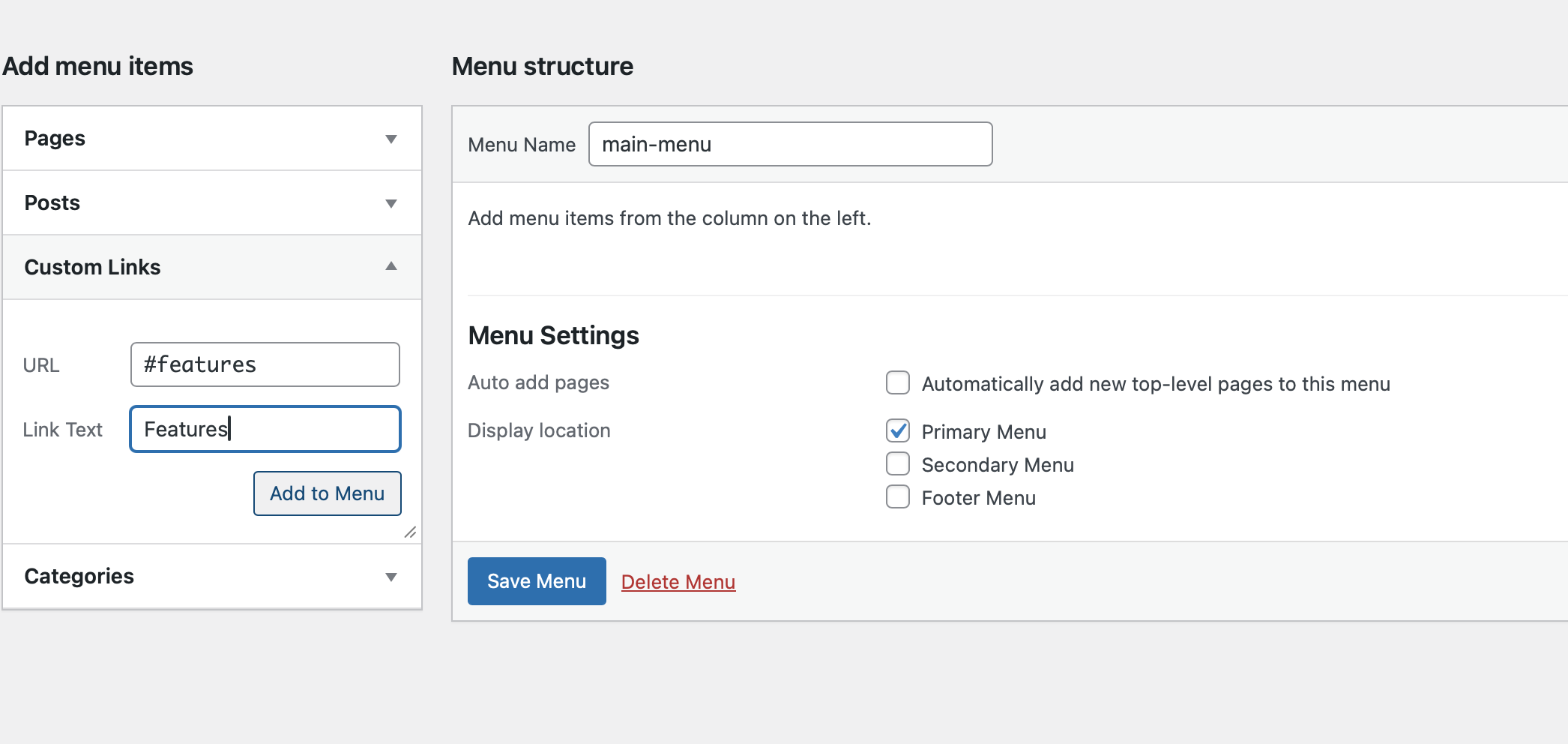
Add to Menu:
1. URL: #features , Link Text: Features
2. URL: #how-it-works , Link Text: How it works
3. URL: #pricing , Link Text: Pricing
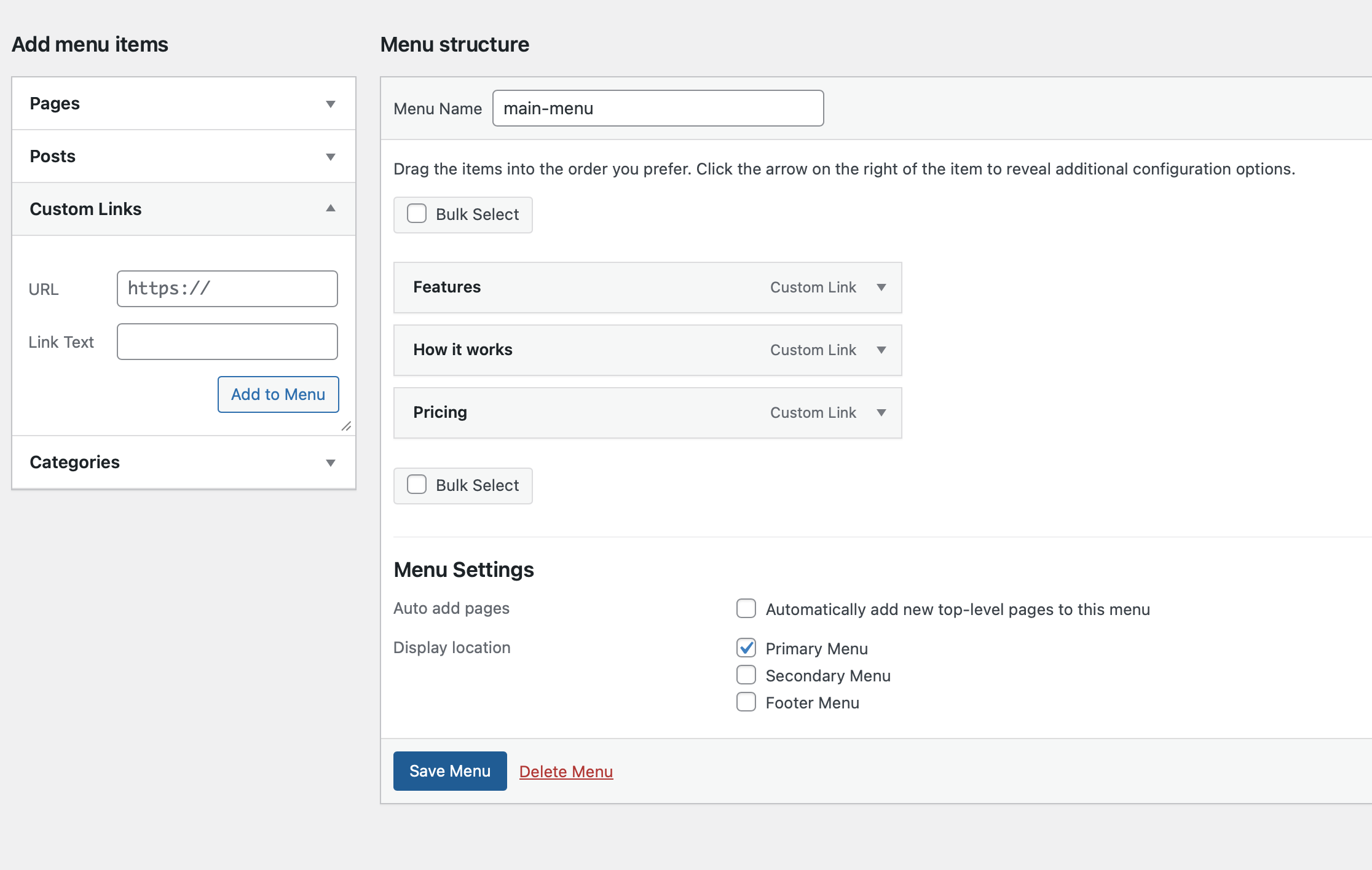
Make sure you SAVE MENU
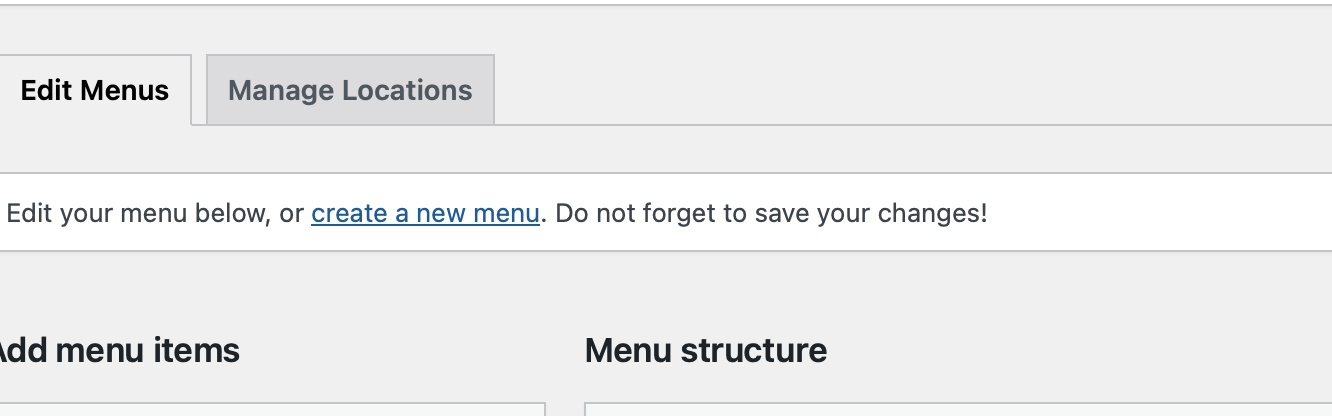
Then click "create a new menu"
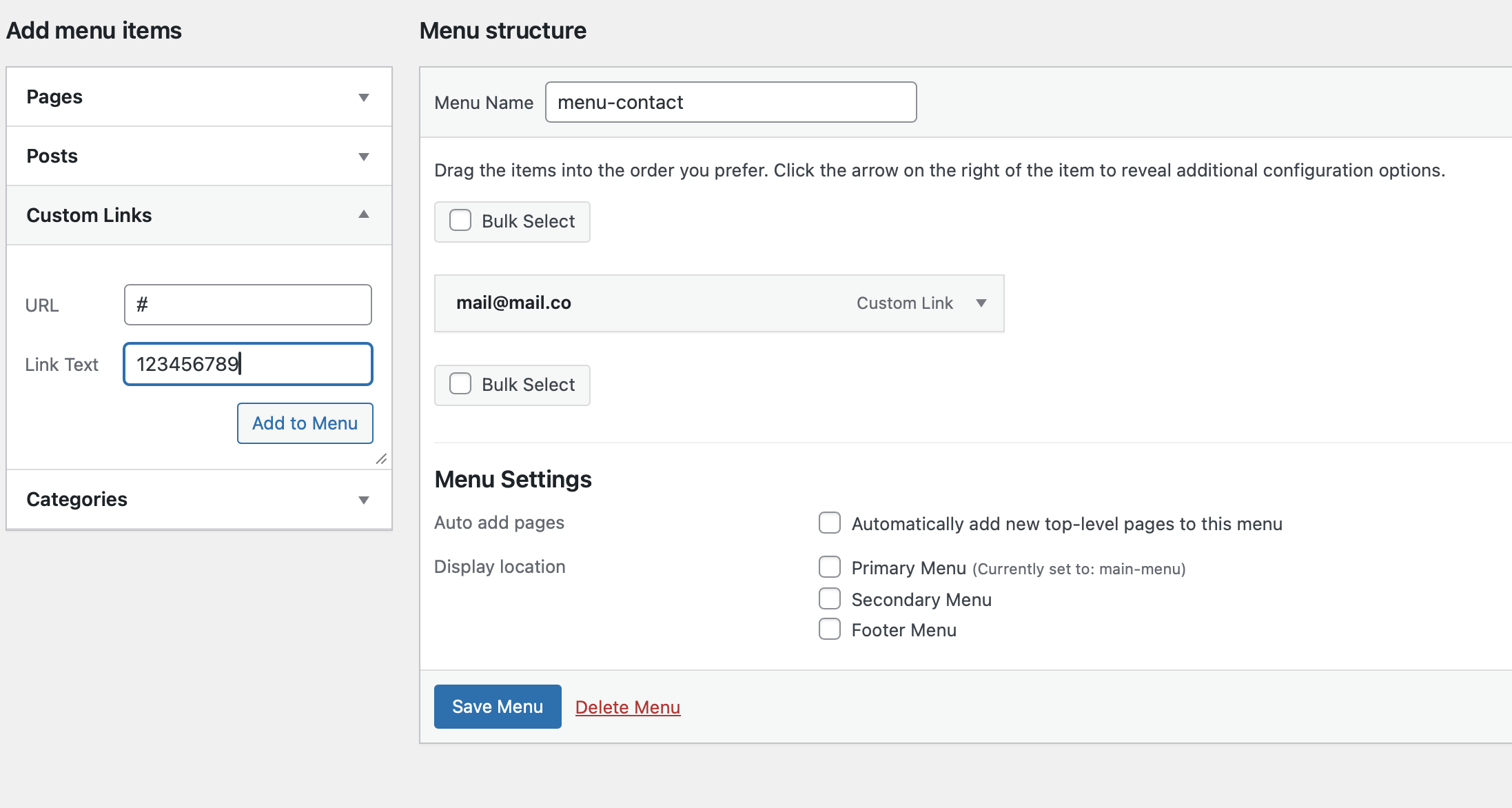
Name you new menu "menu-contact" and click "Create Menu"
Then add to Menu:
1. URL: mailto:yourmail, Link Text: your email
2. URL: # , Link Text: your phone number
Make sure to SAVE menu
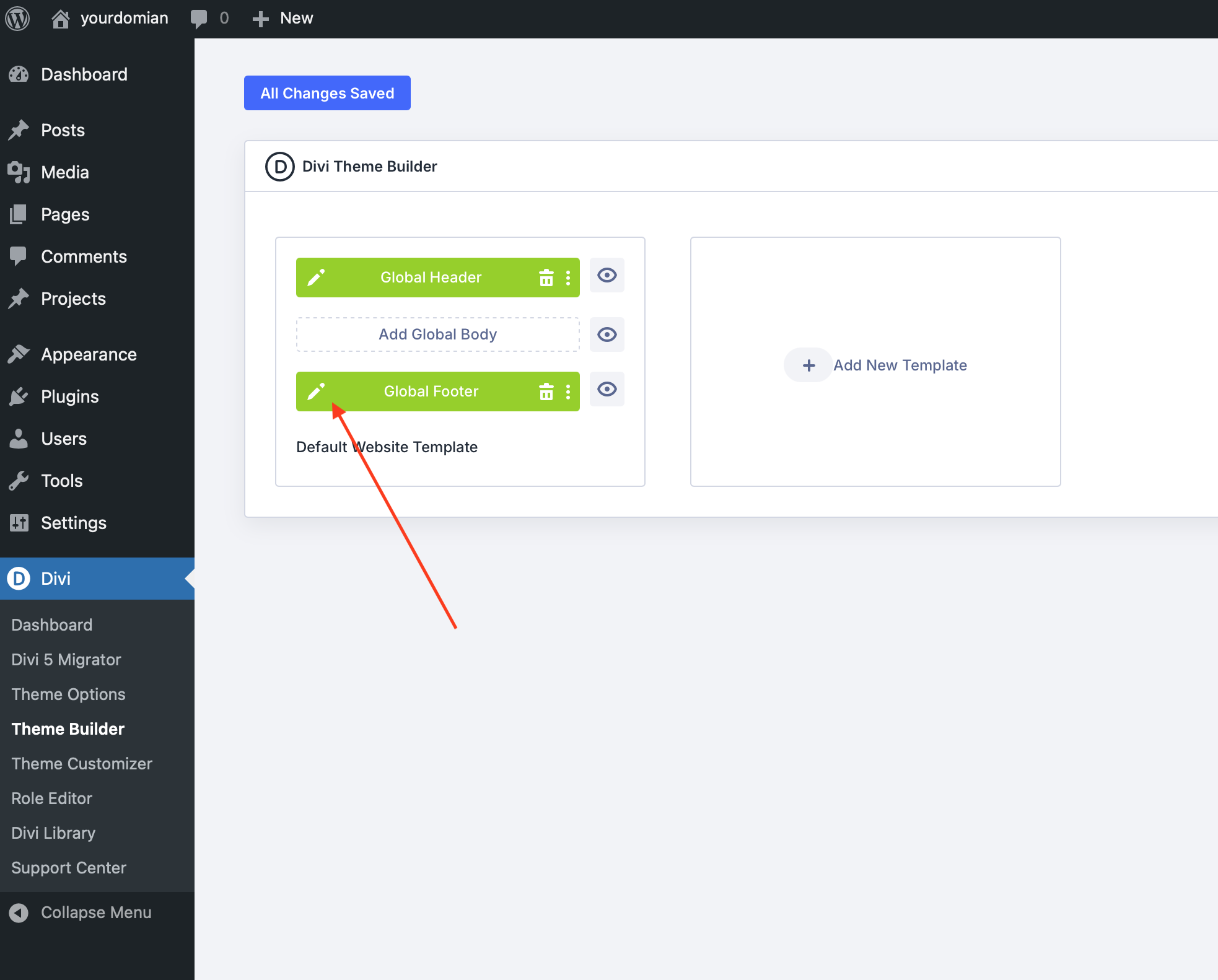
Go back to Divi > Theme Builder
Click Edit Footer
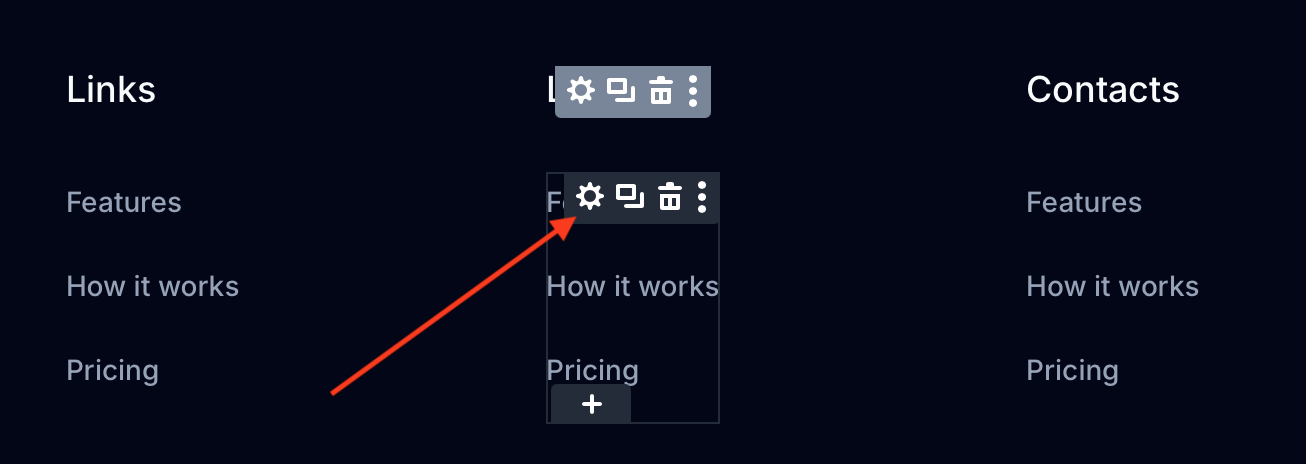
Hover on menu and click Settings
Click on menu dropdown
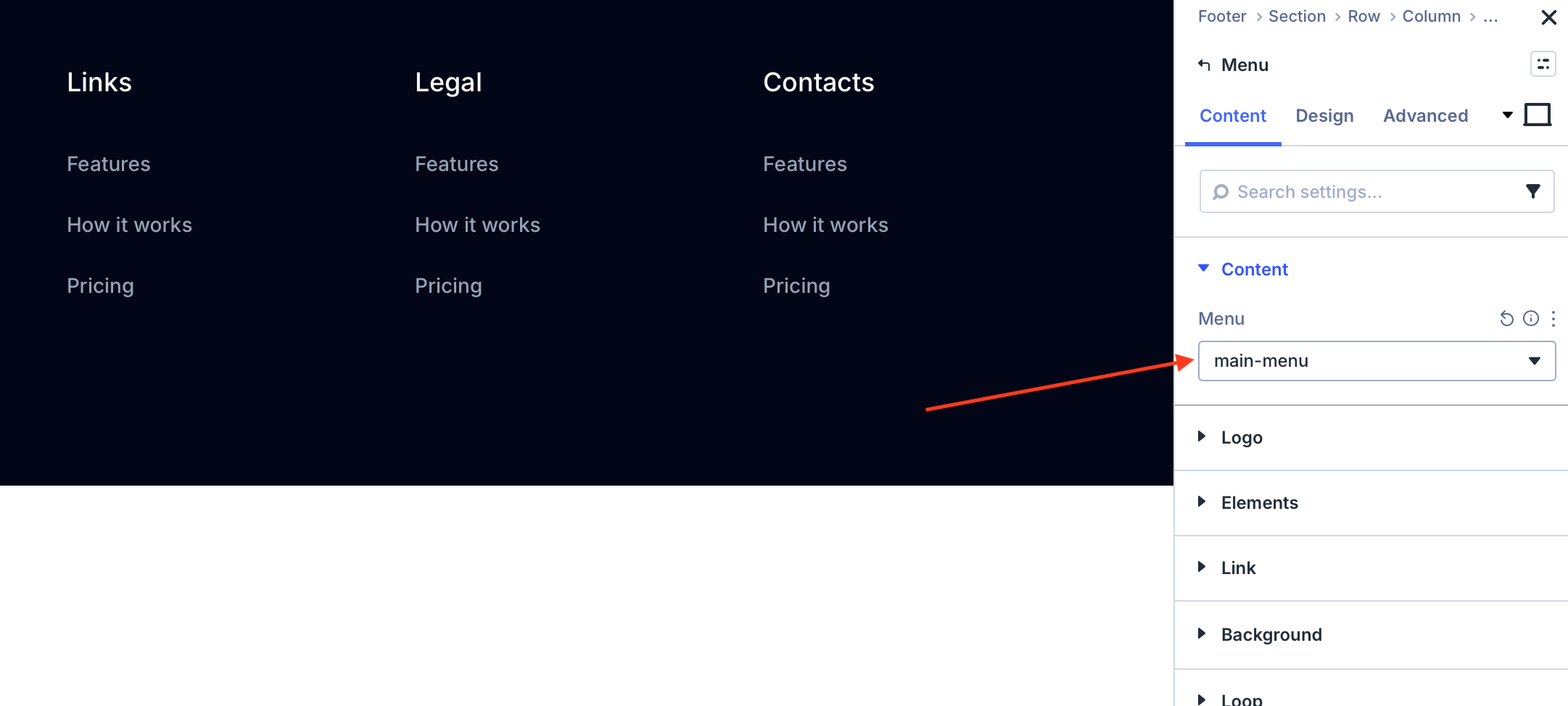
Select menu-legal
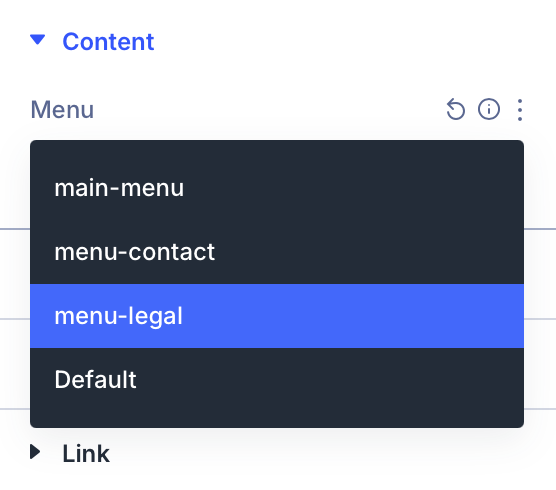
Do the same for contact-menu.
MAKE SURE TO SAVE (right top button "Save")
Support
If you need help with the template or have any questions, feel free to contact me at contact@cameon.eu. I’ll be happy to help.